

Offline-first apps are web/native applications that can be used while the user's device is offline.
In my previous post, I presented some parameters of an ideal sync engine:
- simple to integrate
- stable and mature
- pluggable into existing setups
- low lock-in
- runs everywhere
- enterprise compliance-ready
- offline-first
In this blog post, I want to focus on what building offline-first applications looks like with PowerSync and TanStack DB.
Note: Offline-first and local-first apps are different, learn more about their differences here.
The Hassle of Offline
Building applications that can work offline is a difficult problem for many reasons:
- Traditional approaches (REST, GraphQL, etc) only provide a way to access data over the network
- Browser storage APIs are very low-level and difficult to use for non-trivial tasks
- Keeping a consistent local cache in sync with the server is a difficult distributed systems problem
- The state management logic starts duplicating backend logic and gets complicated and inefficient
- Changes made offline can result in conflicts with server data, requiring manual resolution
Most sync engines today solve the first 4 problems relatively well:
- Data access against a local database (in-memory + persisted)
- Automatic durable storage (file system / IndexedDB / SQLite)
- Consistent bidirectional synchronization (server → client streaming, client → server queue)
- Reactive queries for expressive state management (SQL or similar, type-safe builders)
This is an architectural guarantee offered by sync engines: Users can read their data instantly and consistently at any point in time, even if they are offline.
Even though the client cannot receive updates while offline, they can read a consistent snapshot of the data as it was right before the client went offline.
But when it comes to making changes offline in a real-time and multi-user environment, there is the possibility of conflicts. A conflict arises when two users change the same piece of data in different ways. Ways that cannot be reconciled with each other, where only one can be kept and the other has to be discarded. How does the system decide which change should be kept?
Theoretical vs Practical
The theory that comes from distributed systems research rightly claims that when two stateful nodes are disconnected from each other, changes/transactions can never be put on a single timeline since computers have unreliable clocks.
This means that allowing users to change data while offline is, theoretically speaking, a recipe for disaster.
Let’s walk through some scenarios where an offline user makes changes to the data:
- A user that goes offline works on a subset of the data that has no overlap with the data that other users are changing at the same time. This is fine.
- A user that goes offline collaborates with another user on the data but changes different parts/fields than the other user. This is also fine.
- A user goes offline and changes something another user is changing at the same time. Oops, conflict!
We can imagine scenario #3 more concretely:
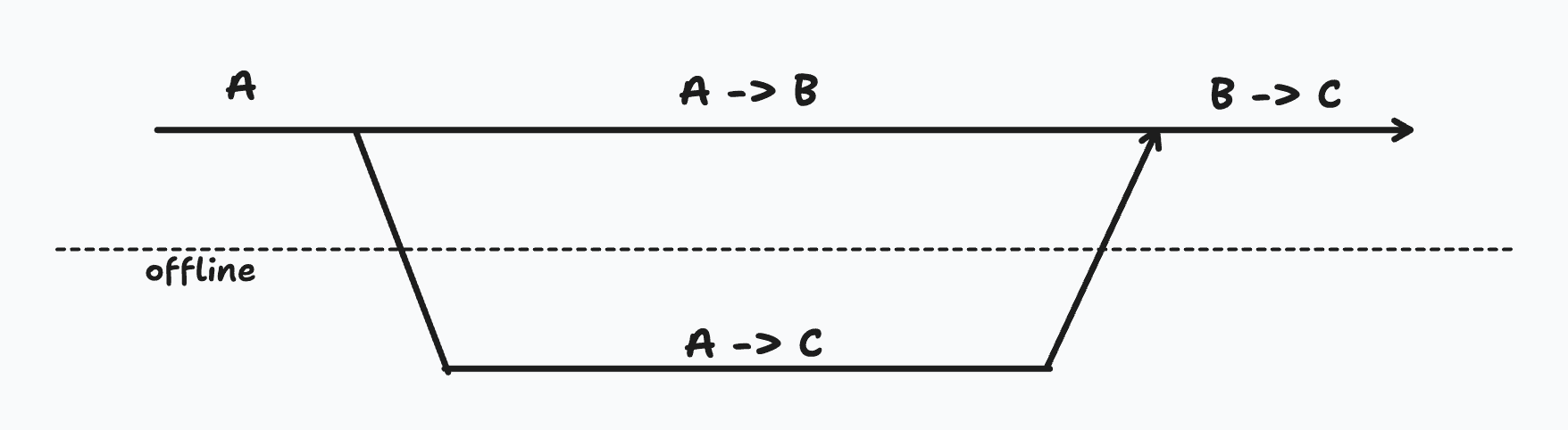
Some data starts with the value of A. Someone goes offline and changes it to C, while another online user changes it to B. Once the offline user comes back online, the value might get changed to C, losing the change made by the online user.
The simplest solution to this problem of conflicts is to disable writing to the database offline completely. As the famous saying goes, “in a distributed system, anything that can go wrong will go wrong”.
No offline writes === #3 can’t happen === no conflicts!
While this approach is completely sound, based on our practical experience helping build offline-first apps across hundreds of use cases and dozens of industries since 2009, most offline use cases actually look like #1 and #2.
So a more practical solution to the problem of conflicts would allow for these use cases by default, and provide a way to opt into custom conflict resolution or opt out of offline writes.
A similar tradeoff is discussed in this Supabase CRDT post.
Let's walk through a demo to understand this well.
Demo
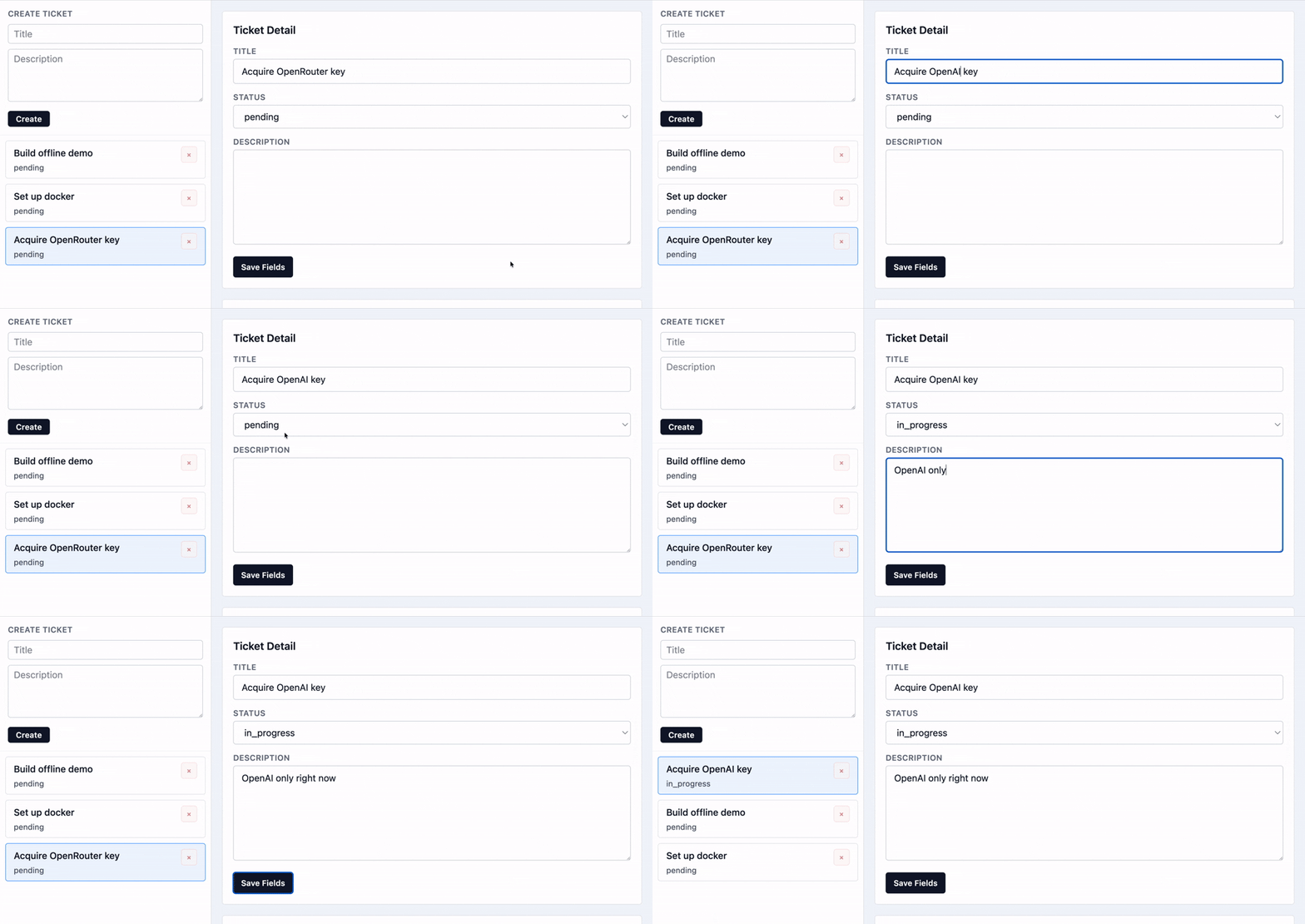
This is a simple ticket tracking app with certain offline capabilities:
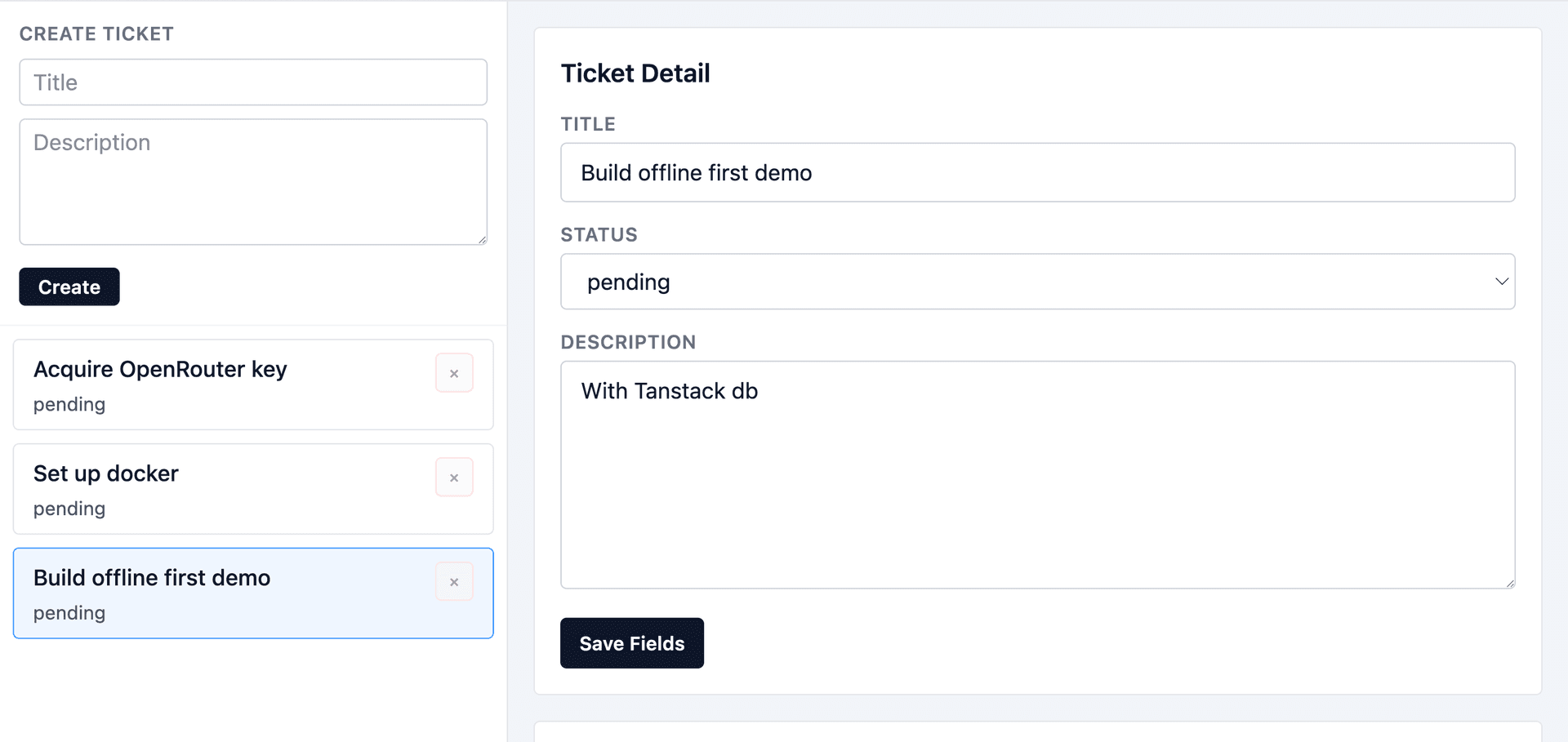
Users have access to a shared list of tickets that they work on. For the most part, it's just basic CRUD operations.
There are certain operations that can be performed offline that have no way of running into conflicts.
- Creating new tickets
- Adding/removing user assignments from tickets
- Adding/removing comments
- Adding/removing attachments (URLs)
A more detailed walkthrough for implementing offline-first file attachments is available in this post.
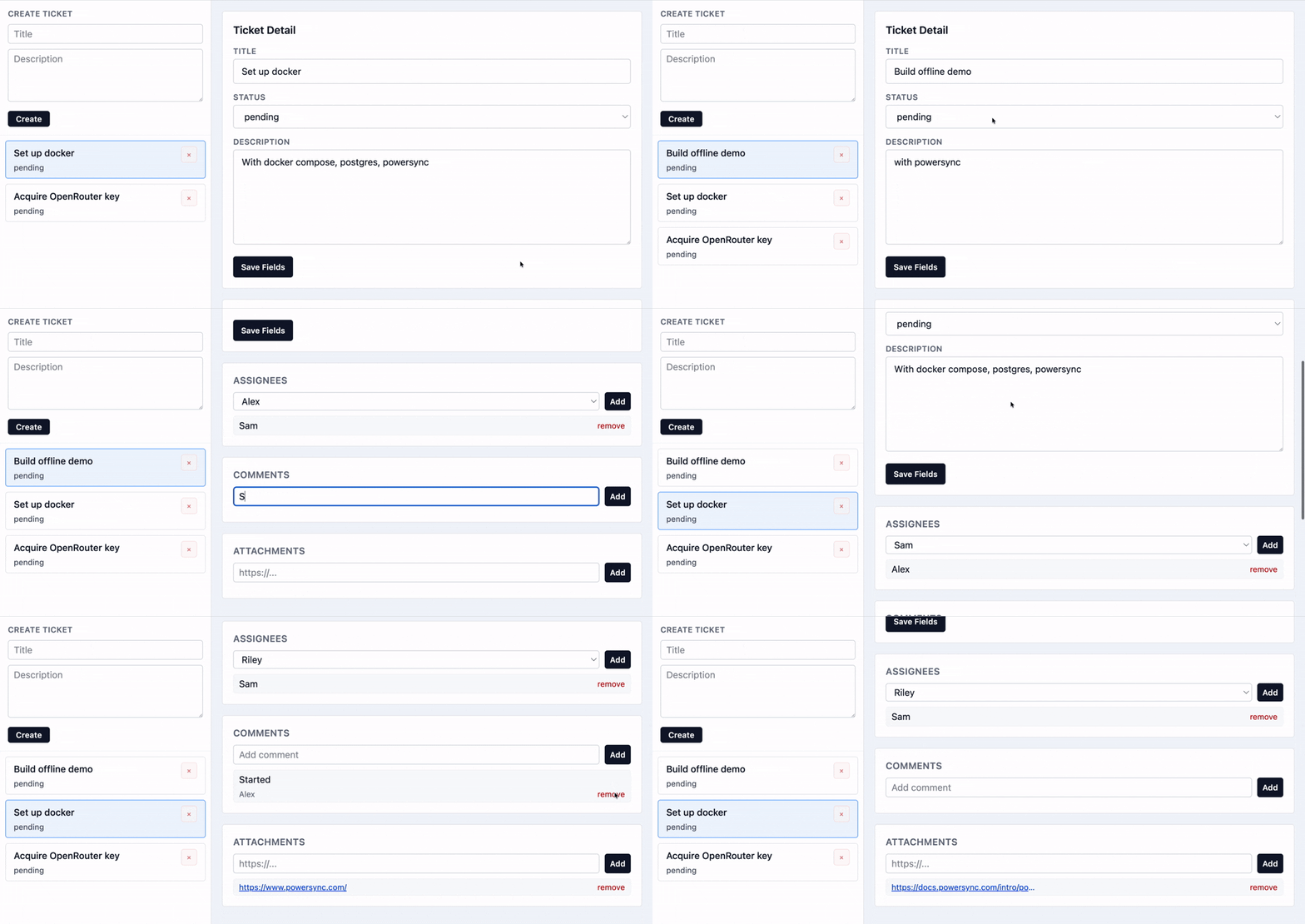
Other operations like changes to title, description, and status are usually safe to do.
Setup
This demo is built using PowerSync and TanStack DB on the client side.
The schema for the client side SQLite database looks like this:
export const ticketSchema = new Schema({
  app_user: new Table({
    id: column.text,
    name: column.text,
  }),
  ticket: new Table(
    {
      id: column.text,
      title: column.text,
      description: column.text,
      status: column.text,
      deleted_at: column.text,
      created_at: column.text,
      updated_at: column.text,
      version: column.integer,
    },
    {
      indexes: {
        idx_ticket_status: ["status"],
      },
    },
  ),
  ticket_assignment: new Table(
    {
      id: column.text,
      ticket_id: column.text,
      user_id: column.text,
      deleted_at: column.text,
      created_at: column.text,
    },
    {
      indexes: {
        idx_ticket_assignment_ticket: ["ticket_id", "created_at"],
      },
    },
  ),
  ...
});
Once the PowerSync schema is created, we can create TanStack DB collections for each table in the schema like this:
export const appUsersCollection = createCollection(
  powerSyncCollectionOptions({
    id: "app-users",
    database: powerSyncDb,
    table: ticketSchema.props.app_user
  }),
);

export const ticketsCollection = createCollection(
  powerSyncCollectionOptions({
    id: "tickets",
    database: powerSyncDb,
    table: ticketSchema.props.ticket
  }),
);

export const ticketAssignmentsCollection = createCollection(
  powerSyncCollectionOptions({
    id: "ticket-assignments",
    database: powerSyncDb,
    table: ticketSchema.props.ticket_assignment
  }),
);
These collections can now be queried in our UI components and hooks like this:
const ticketsQuery = useLiveQuery((q) =>
  q
    .from({ ticket: ticketsCollection })
    .orderBy(({ ticket }) => ticket.updated_at, "desc")
    .select(({ ticket }) => ({
      id: ticket.id,
      title: ticket.title,
      description: ticket.description,
      status: ticket.status,
      deleted_at: ticket.deleted_at,
      updated_at: ticket.updated_at,
      version: ticket.version,
    })),
);

const assignmentsQuery = useLiveQuery((q) =>
  q
    .from({ assignment: ticketAssignmentsCollection })
    .where(({ assignment }) => eq(assignment.ticket_id, ticketId()))
    .orderBy(({ assignment }) => assignment.created_at, "desc")
    .select(({ assignment }) => ({
      id: assignment.id,
      ticket_id: assignment.ticket_id,
      user_id: assignment.user_id,
      deleted_at: assignment.deleted_at,
    })),
);
And updated in events like this:
const createTicket = () => {
  const title = draft.newTicketTitle.trim();
  const id = crypto.randomUUID();
  const now = new Date().toISOString();

  ticketsCollection.insert({
    id,
    title,
    description: draft.newTicketDescription,
    status: "pending",
    deleted_at: null,
    created_at: now,
    updated_at: now,
    version: 0,
  });
};
Changes made to the TanStack DB collections are automatically synced into the local SQLite database by the PowerSync SDK, as well as put in an upload queue to be synced with the server.
If the client is online, the PowerSync SDK calls this uploadData method on the connector class:
async function uploadData(operations: SerializableCrudEntry[]) {
  "use server";

  const session = getServerSession();
  await processWriteBatch(operations, session);
}

class TicketConnector implements PowerSyncBackendConnector {
  async fetchCredentials() {...}

  async uploadData(database: AbstractPowerSyncDatabase): Promise<void> {
    while (true) {
      const transaction = await database.getNextCrudTransaction();
      if (!transaction) break;

      await uploadData(toSerializableCrud(transaction.crud));
      await transaction.complete();
    }
  }
}
Inside this uploadData method, we are free to handle these changes however we want. In this example, the changes are sent to a server function that processes these writes on the backend. This backend function is free to process these writes by simply writing them to the database (the simplest pattern) or by applying custom logic to detect and handle conflicts.
PowerSync's consistency model ensures that the server data is treated as the source of truth, and all clients converge to the source of truth once their local changes are accepted by the server.
While you can build offline-first apps with PowerSync alone, using TanStack DB comes with some additional benefits:
- Type-safe API for local queries and mutations
- Incrementally recomputing live queries
- Joins across collections from other non-PowerSync sources
These capabilities make PowerSync + TanStack DB an ideal choice for offline-first applications.
Designing for Conflicts
While last-write-wins is a sensible default for most use cases, it's not possible to get rid of conflict resolution issues entirely if we are to allow users to make offline changes. Therefore it's important to know when and how to design for conflicts.
There are many strategies for avoiding conflicts in offline-first apps that range from simple to complicated.
Disable Destructive Actions
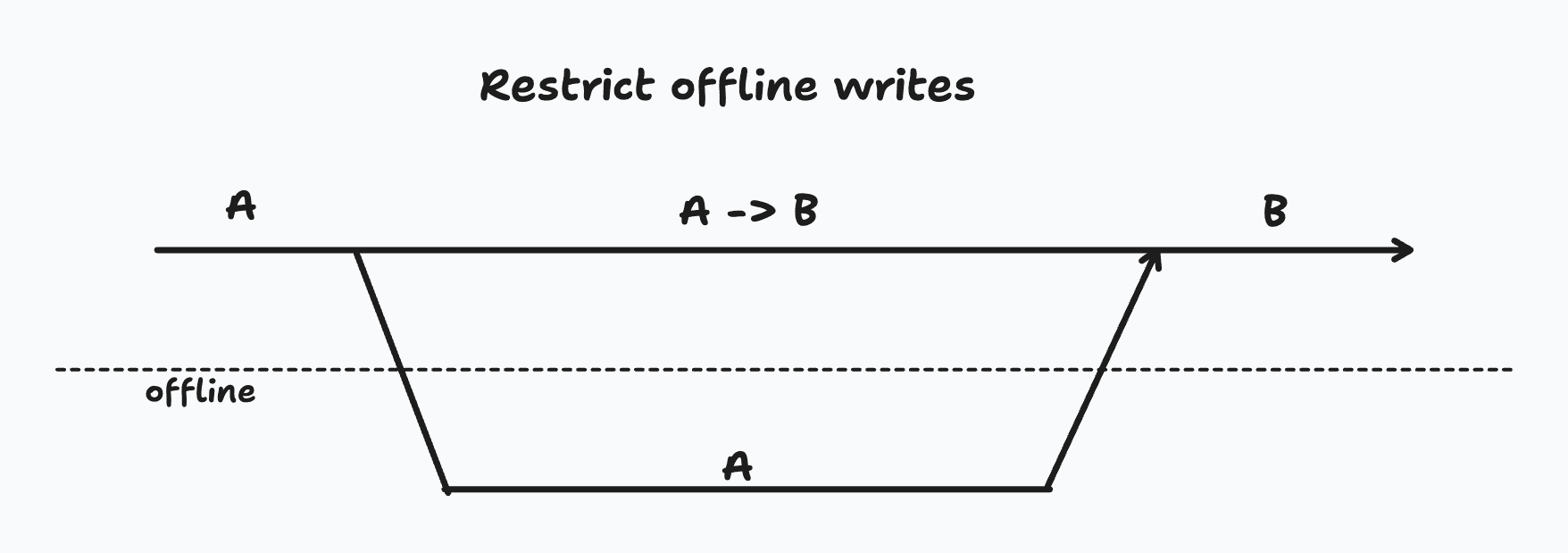
The simplest way to avoid conflicts is to disallow certain destructive operations while offline. This is not the same thing as making the entire app read-only when offline. As discussed earlier, there are always certain operations that don't run into conflicts and are fine to do offline.
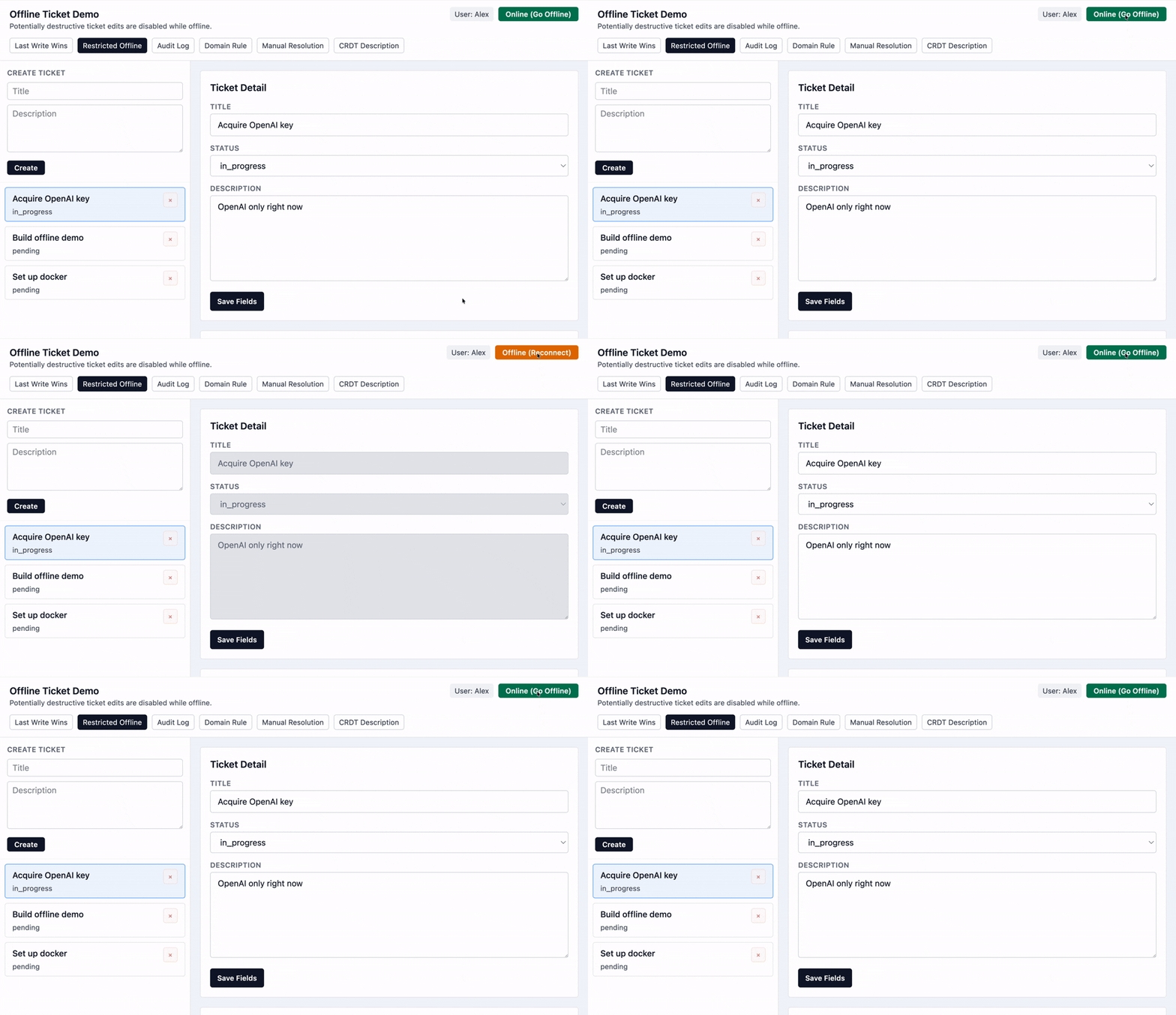
This approach trades off a user-facing capability (making changes while offline) for operational simplicity (no conflicts possible).
Audit/Activity Log
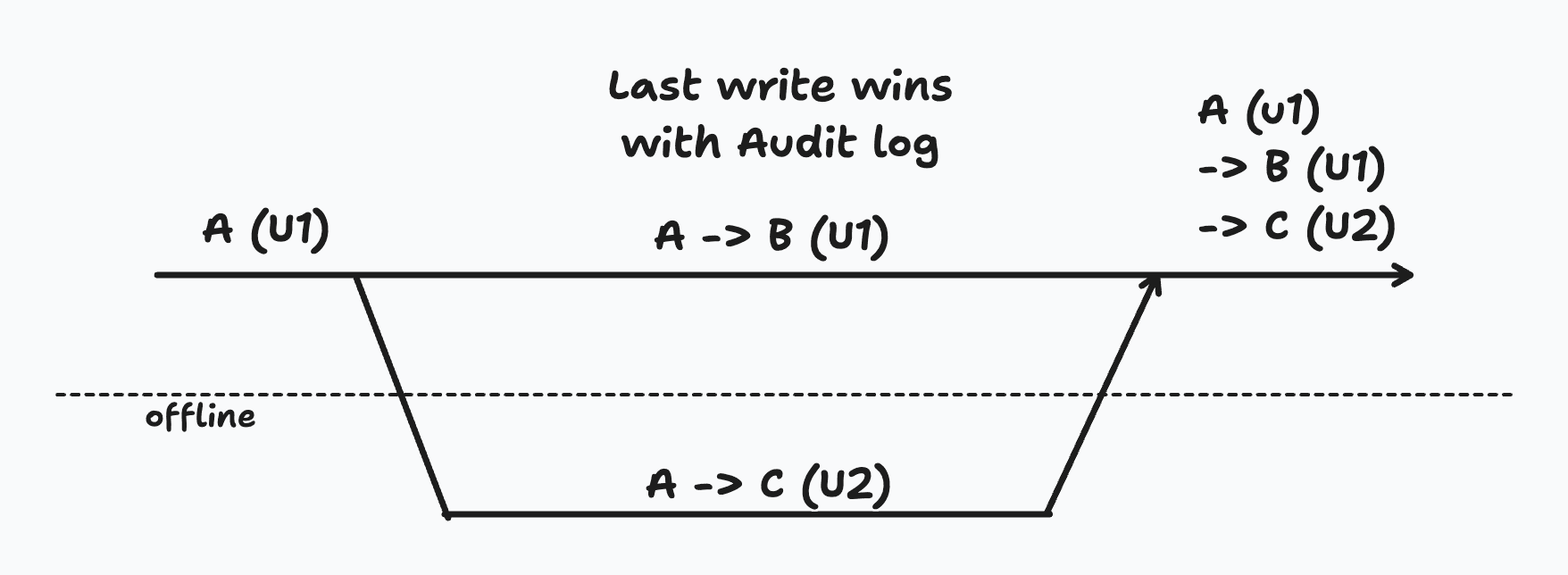
Quite often a last-write-wins strategy is a perfectly acceptable solution as long as the history of changes is visible to the users.
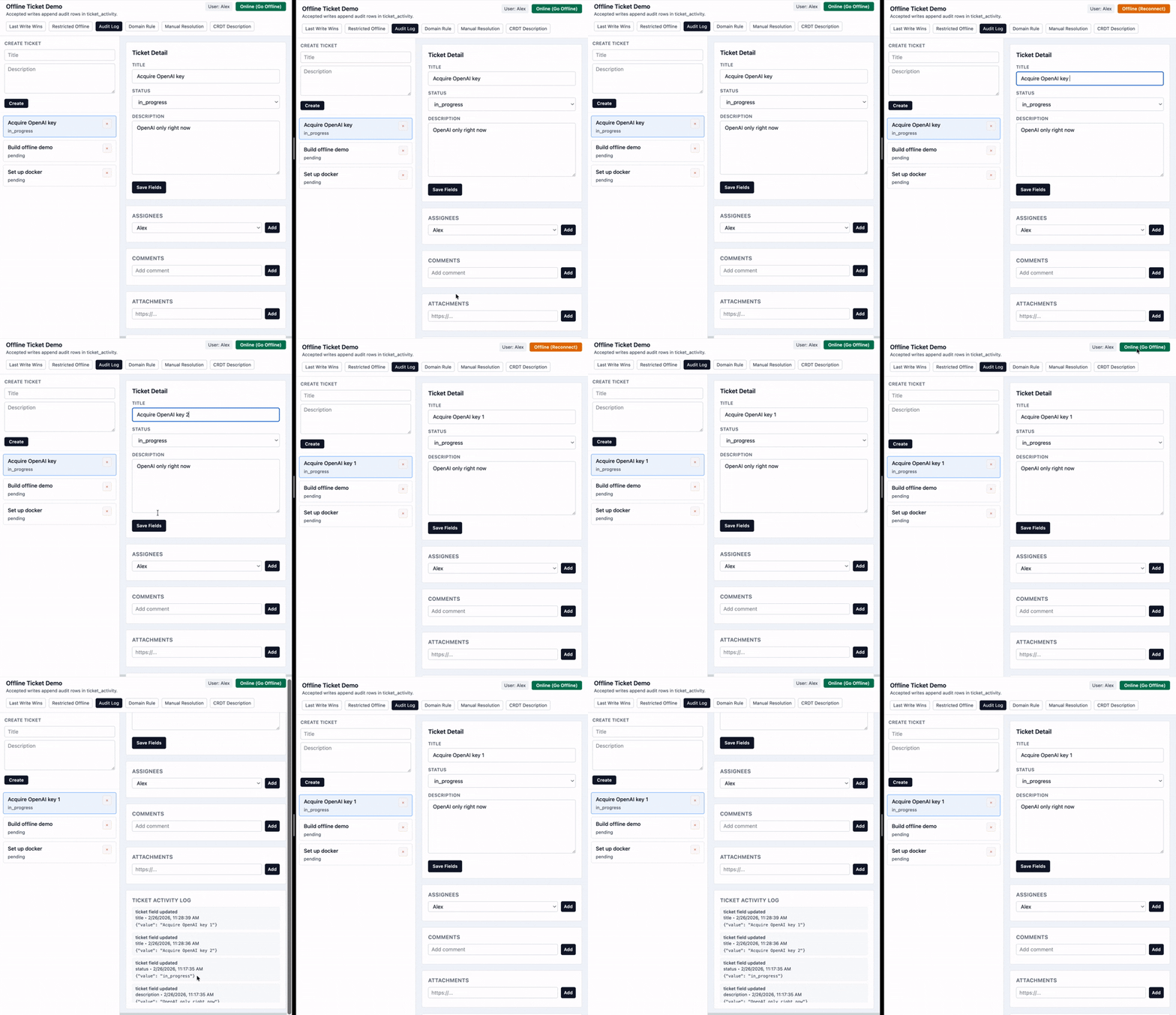
This activity log is as simple as an additional database table that is written to in the same transaction as the actual change to the ticket.
Domain-Specific Resolution
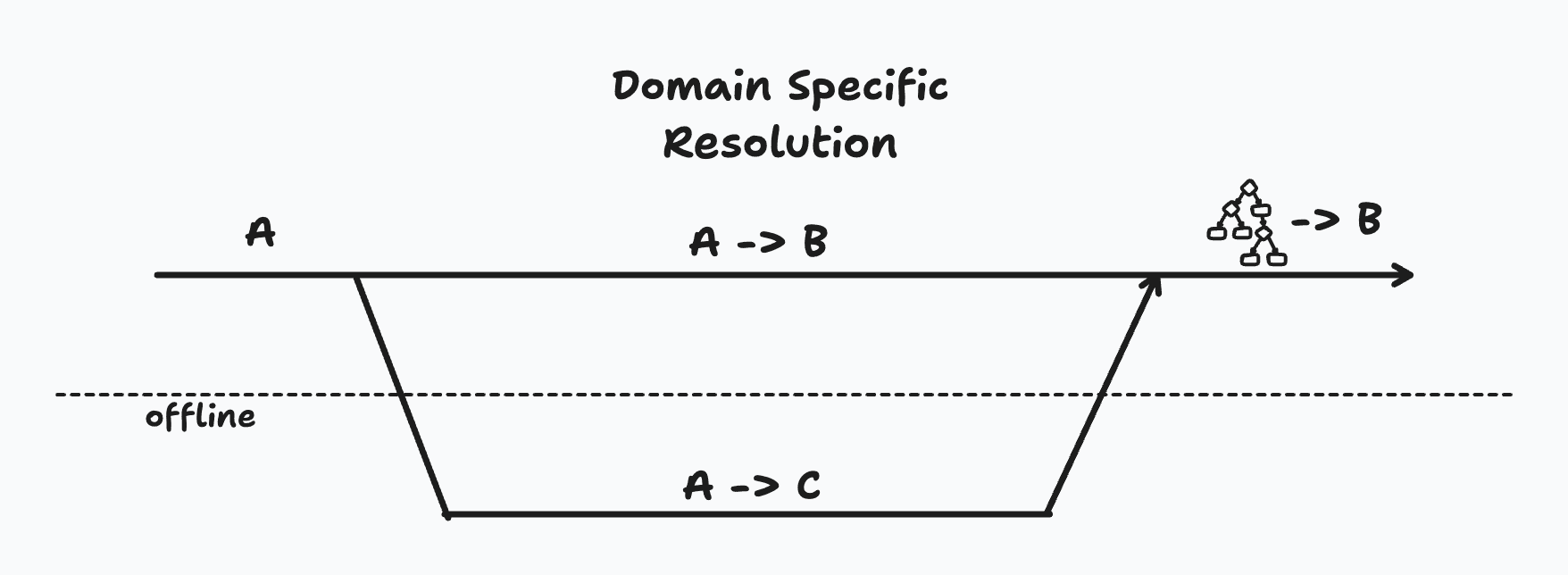
Let's imagine while I am offline, someone changes this ticket from pending to done. But since I was offline, I didn't see that change. I separately change the status from pending to in progress.
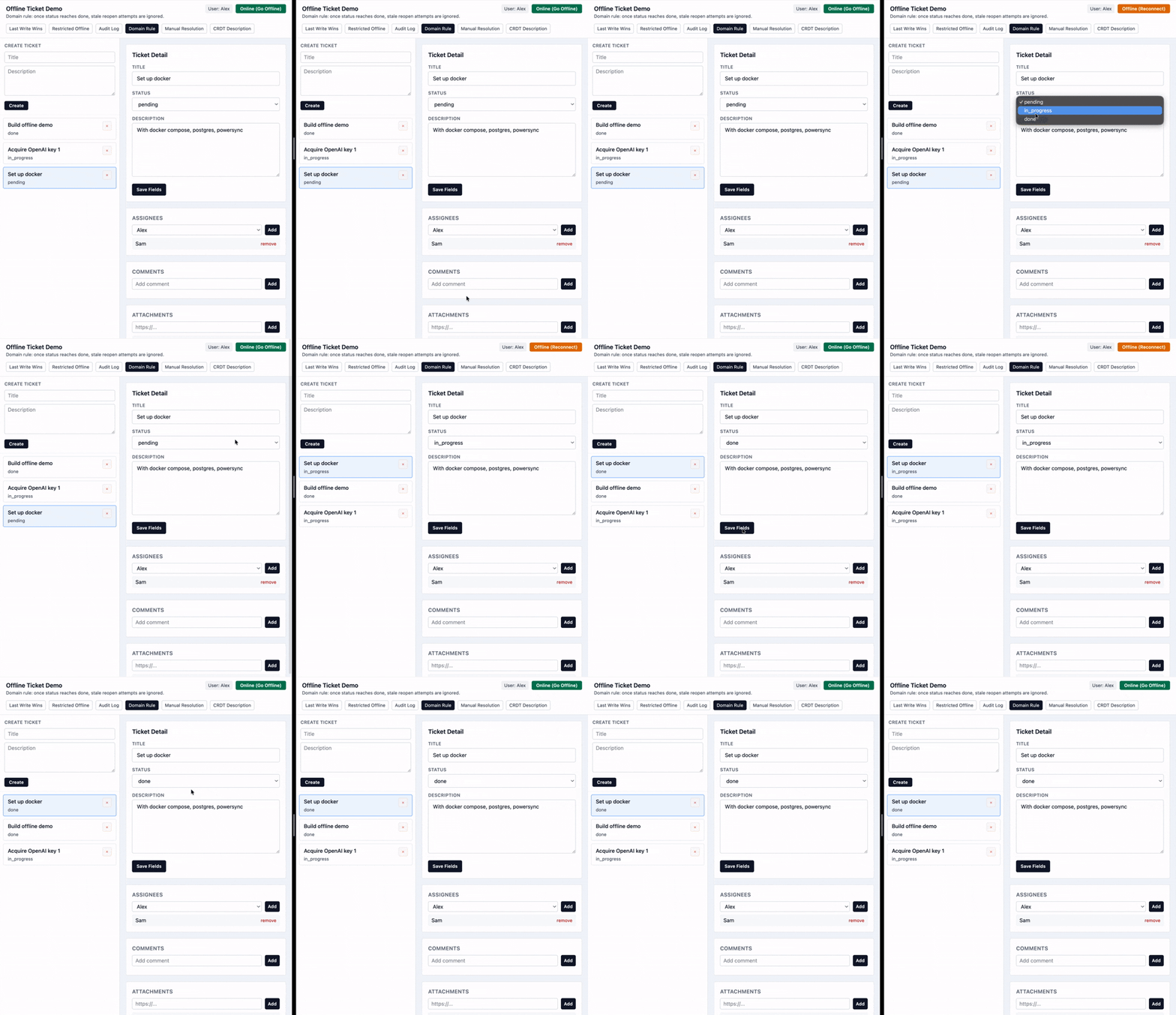
While the default last-write-wins strategy would say that the final status once I come back online should be in progress, it might make sense in this scenario to keep the ticket status as done rather than overriding.
This is not necessarily a technical decision — it should be up to the product/business to decide how conflicts like these resolve.
Here we can detect the case when an offline user syncs with a pending change to the status field.
This approach can provide automatic and predictable conflict resolution, but it's not a general solution and the actual logic of making a decision is going to vary a lot for different use cases.
Manual Resolution
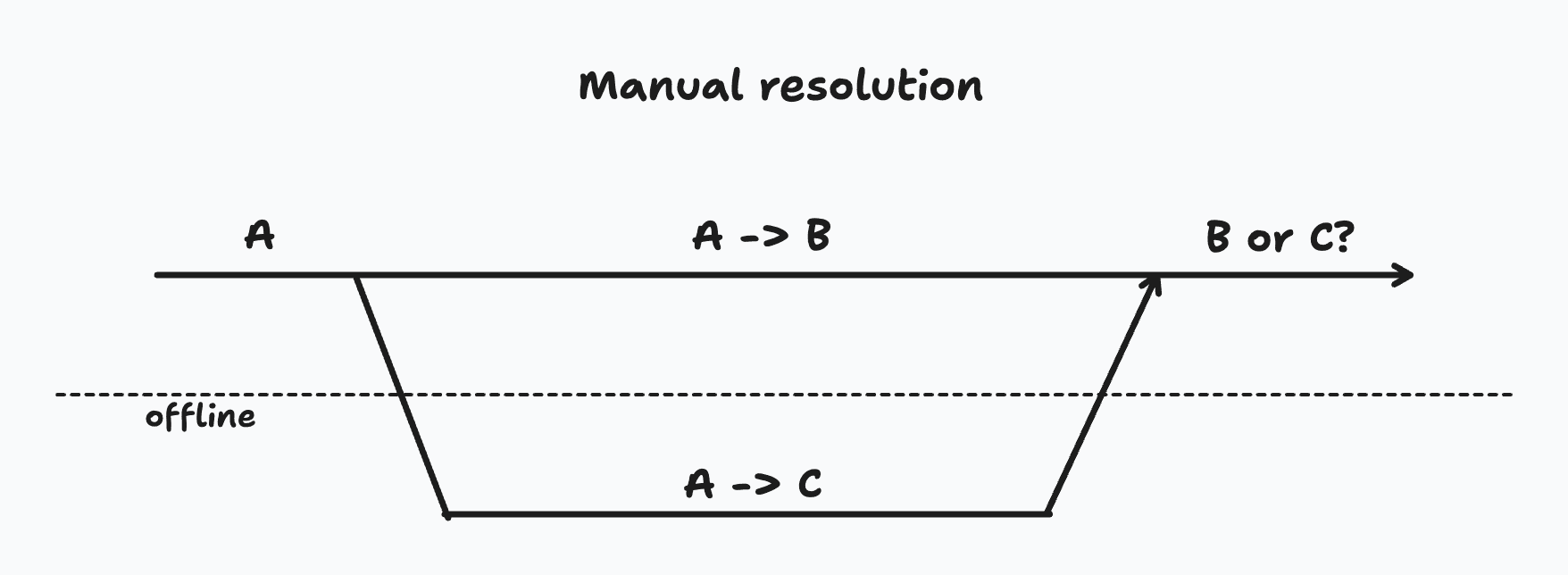
A more general solution is to simply notify a user and let them decide how to proceed.
This usually involves tracking conflicts separately and prompting the user to provide a resolution by comparing the changes made.
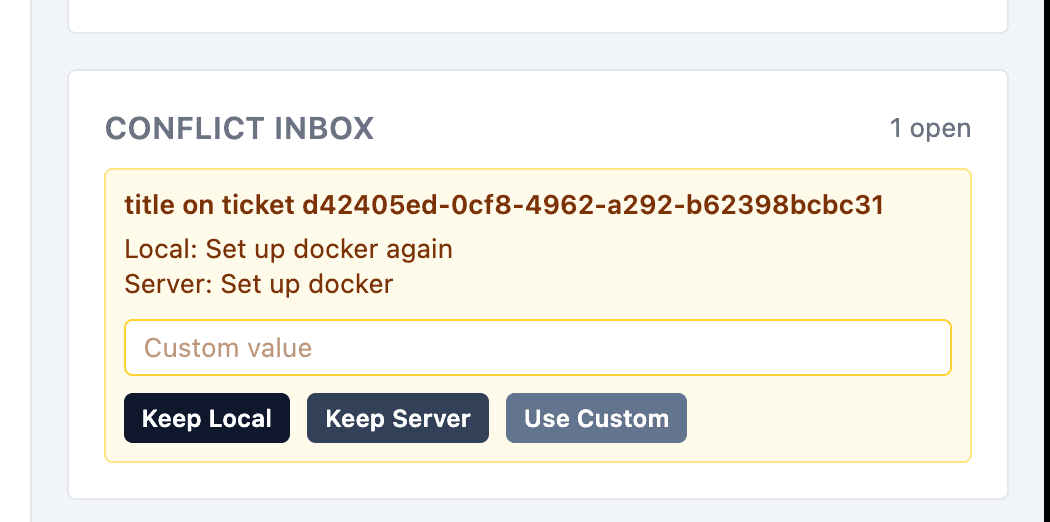
Manual resolution is a good choice for the most sensitive parts of the apps. There is some initial overhead in building the UI for manual resolution, but once the UI is there it can be used for any conflict scenario throughout the app. It is also the safest way to deal with conflicts, even though it might have a negative impact on the user experience by forcing users through an extra conflict resolution step. On the downside, this is one of the more complicated strategies on this list.
CRDT/OT
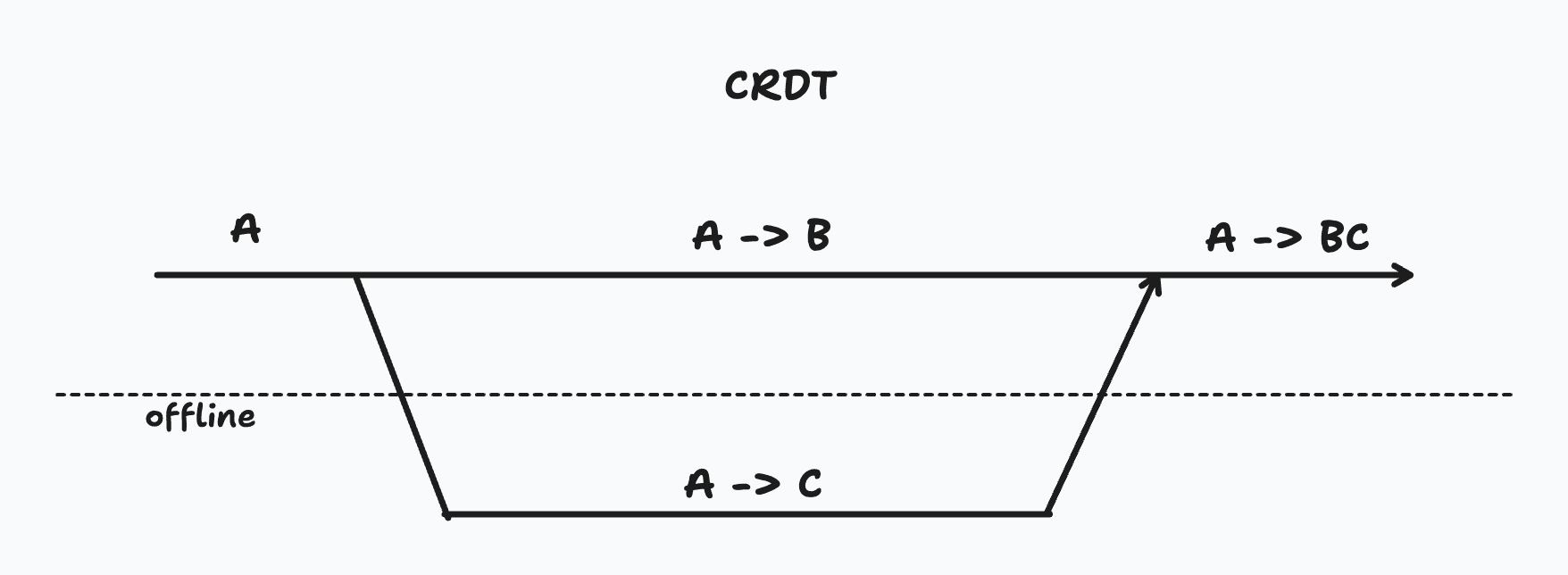
To handle conflicts on collaborative data like a document or canvas editor, it's best to use either an Operational Transform (OT) approach or a Conflict-free Replicated Data Type (CRDT).
Both of these approaches allow people to make changes to a document offline and have them automatically be merged into concurrent changes. OT requires a server to coordinate and transform changes, while CRDTs can be used fully locally.
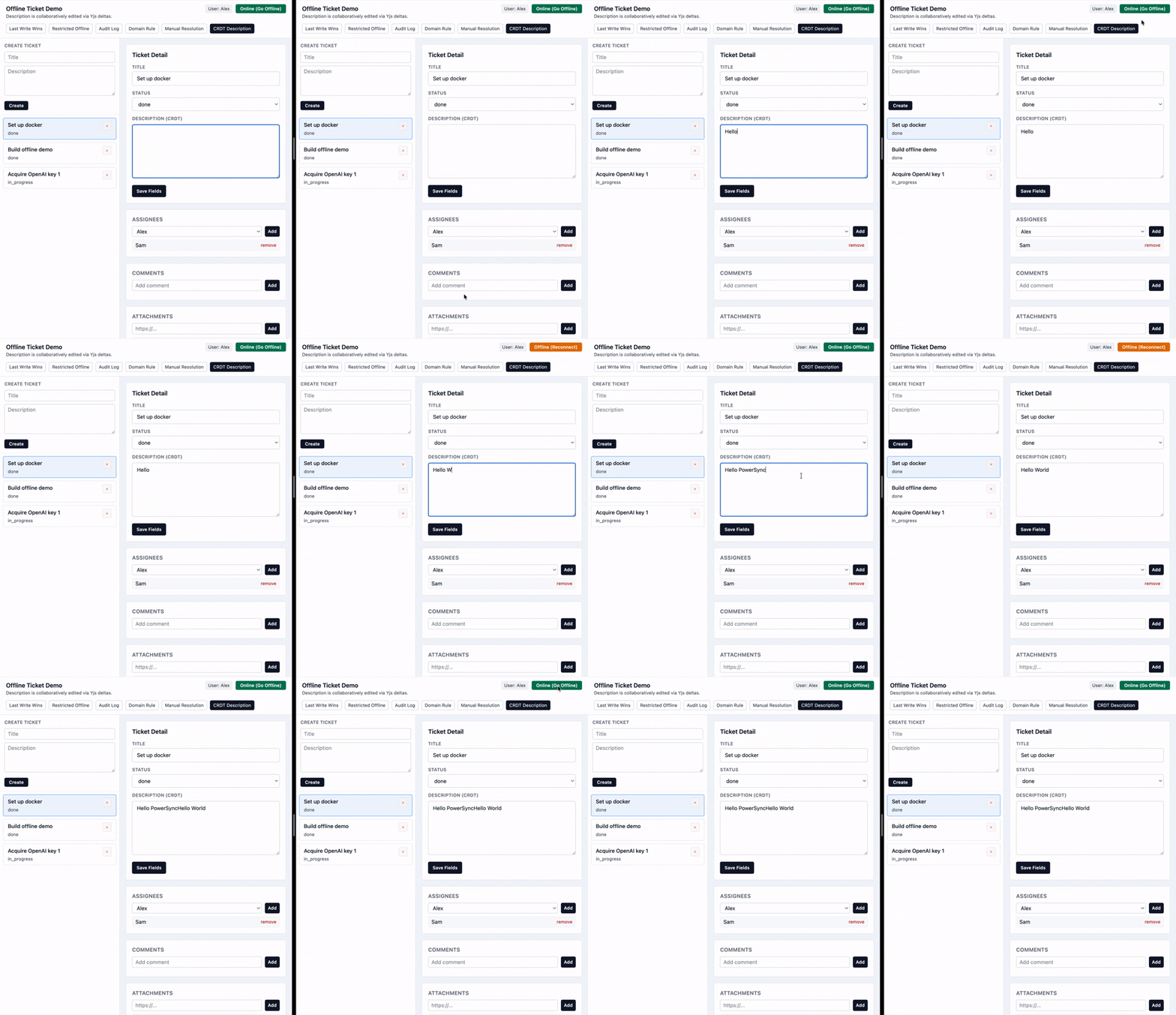
Automerge and Yjs are some of the popular CRDT libraries with a simple interface. This example uses Yjs to construct the CRDT on the client side by reading deltas from a database table.
While CRDT/OT can automatically handle any complexity of conflicts, it doesn't mean its final output will be what the users actually want, especially if there have been massive conflicting changes. These are algorithms that guarantee a resolution, not that you will like the resolution. In those cases, it's best to combine a CRDT/OT approach with manual resolution — show not just the conflicting changes, but the CRDT merge as a possible solution, and let the user make final edits before resolving the conflict.
Optionality
As we walk through the various possible approaches to conflict resolution, it's important to keep in mind that very few applications will genuinely need to handle all these cases. However, almost every application has some features that can be used offline, and it is important for the tools we use to scale and support these needs as they come along. This is the pragmatic reality of building offline-first applications that PowerSync addresses. It provides a sensible default that satisfies the majority of use cases, while making it simple to opt-in to more advanced strategies as needed.
The source code of this demo is available here.
Learn more about handling update conflicts in PowerSync, or get started with PowerSync by following this setup guide.