

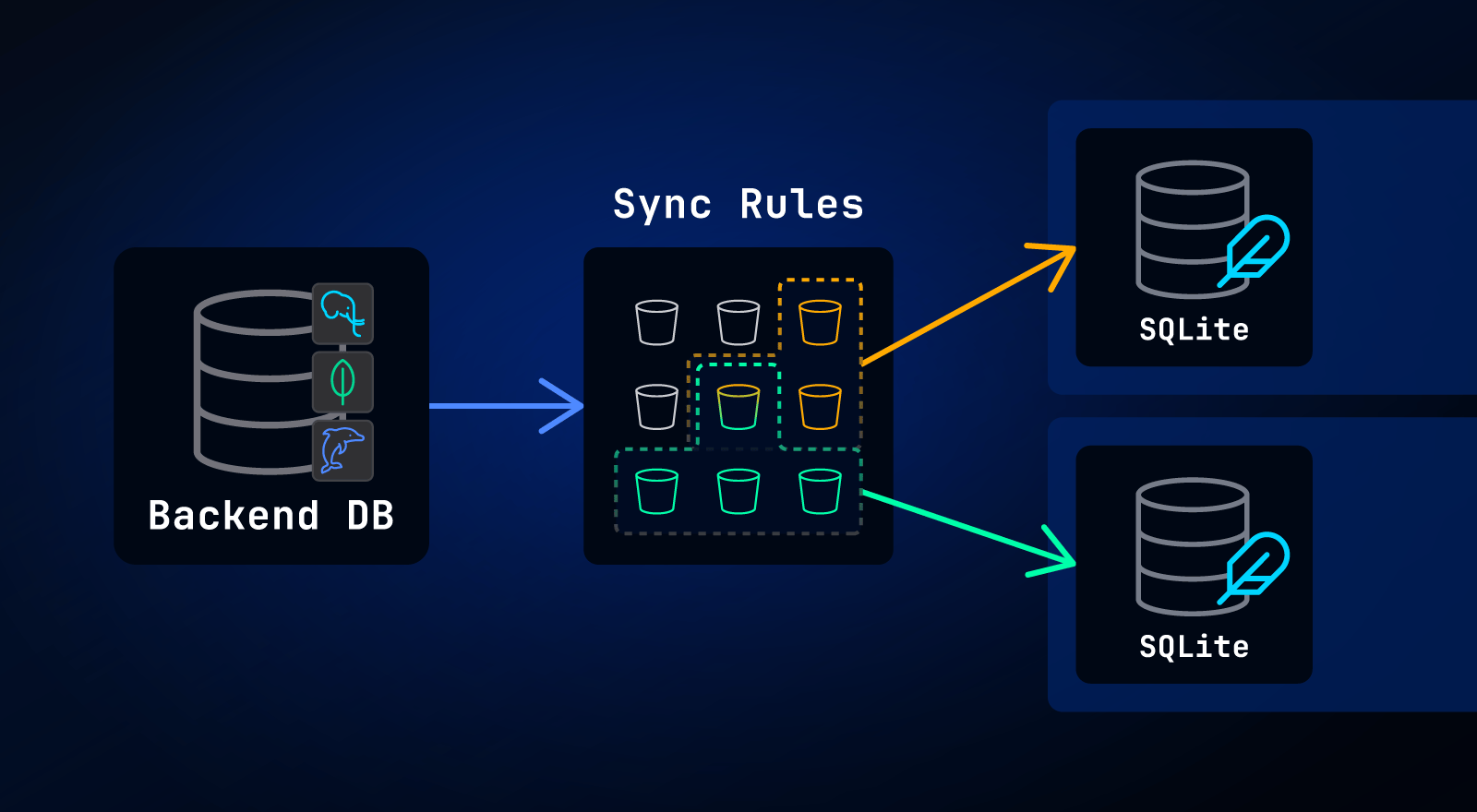
This post covers Sync Rules, which are now the legacy method for controlling which data syncs to which users. PowerSync now supports Sync Streams — the recommended way to control which data syncs to which users.
The purpose of this blog post is to explain why you need PowerSync’s “Sync Rules”, what they are, and how they can be implemented.
Why Have Sync Rules?
In typical cloud-first apps, your backend database (like Postgres or MongoDB) holds all your data, which is made available to users via an API. This approach requires data to be fetched by client apps through API calls.
By contrast, a sync engine like PowerSync syncs all data relevant to a specific user to a local database embedded in the client-side app, allowing queries to run locally on the user's device. Data is synced through the PowerSync Service, a backend service that client apps connect to (more info on this architecture here).
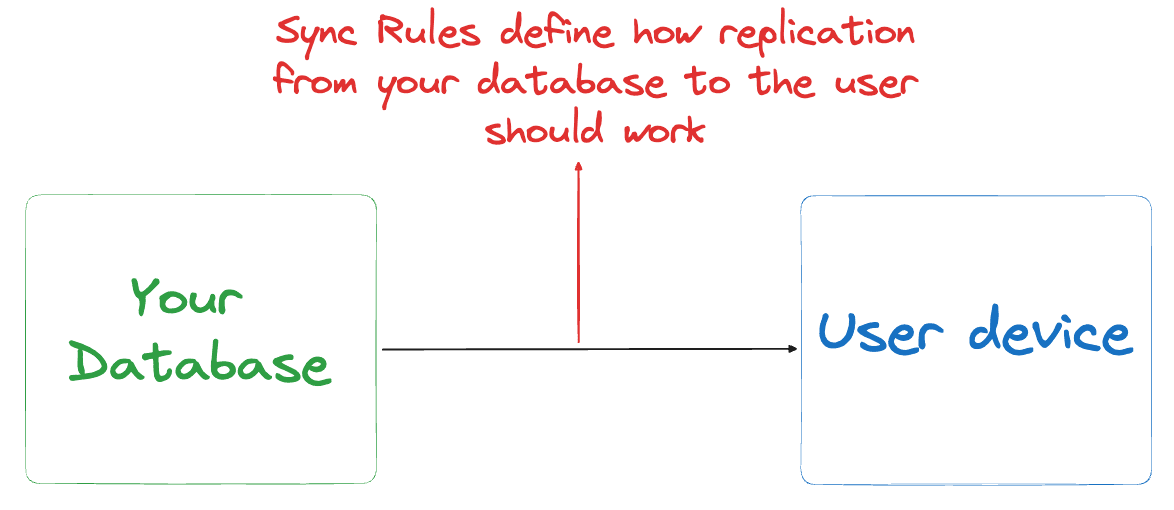
Users are typically only authorized to access certain data in the backend database, and on top of that, there is typically too much data to sync to every user’s device. Therefore, it’s necessary to control which data is synced to users. In PowerSync, Sync Rules provide a way to specify which data should be synced to which users.
Sync Buckets
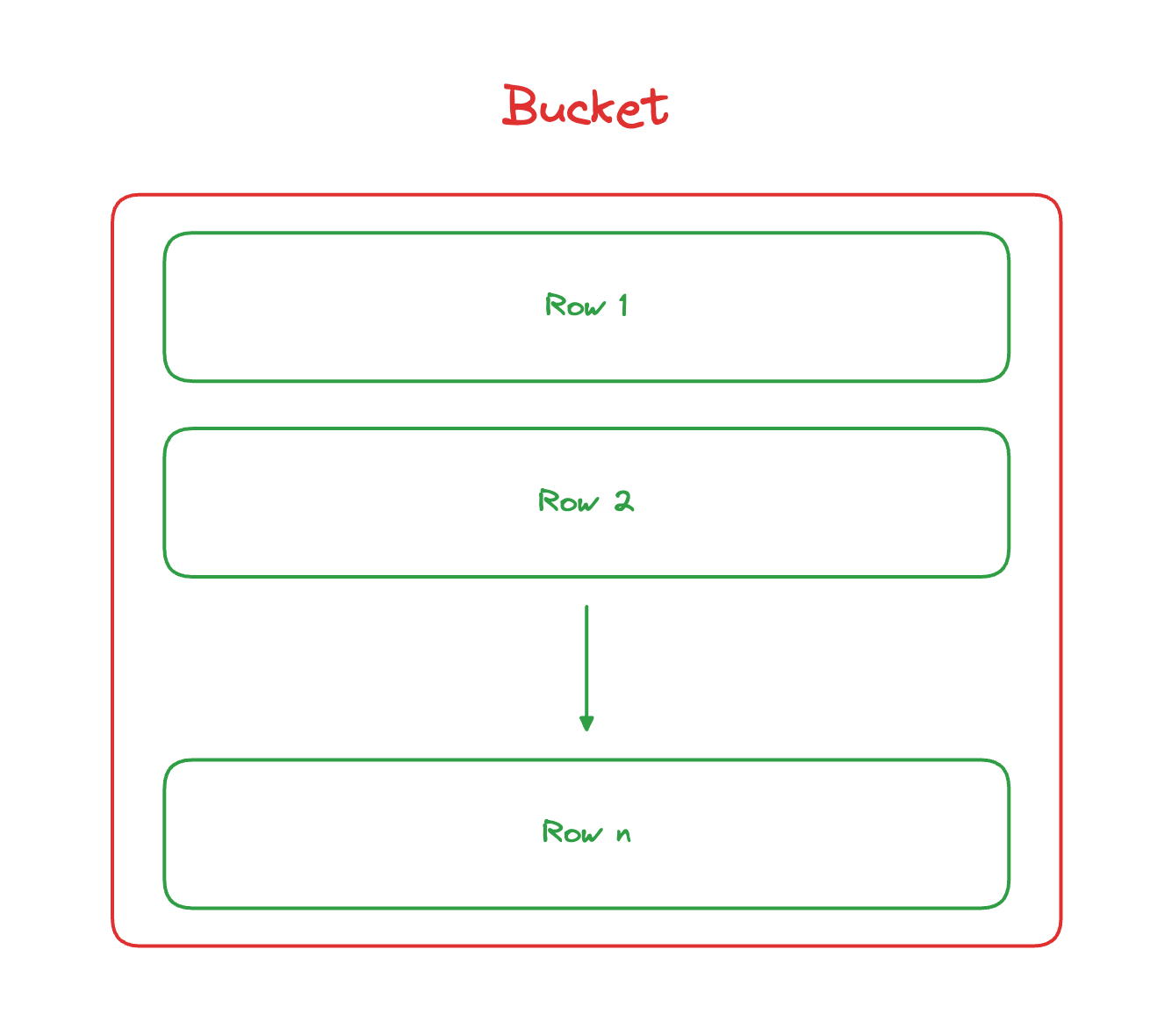
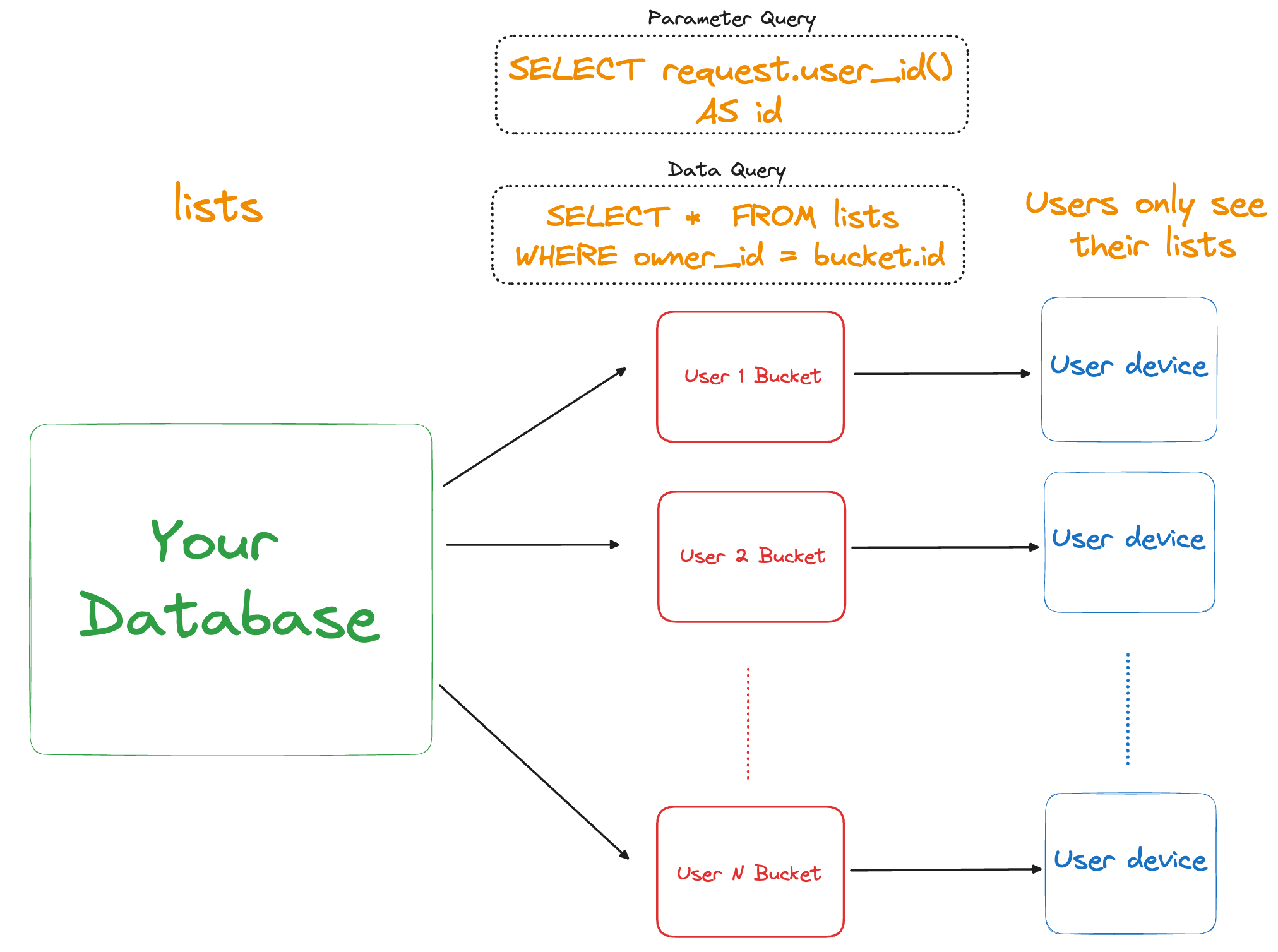
PowerSync has a concept of Sync Buckets (or simply "Buckets") to organize data synced to users’ devices. The reason that Sync Buckets exist is to allow sharing sets of data between users where applicable. This allows for deduplication of work and high scalability.
These Buckets contain rows of data synced from one or more tables in your backend database, based on the defined Sync Rules:
How to Define Sync Rules
Sync Rules are specified in a yaml file. They must start with bucket_definitions and follow this structure:
# sync-rules.yaml
bucket_definitions:
  bucket_name: # name of the buckets e.g. user_lists
    parameters: # (optional) query used to determine which buckets are synced
    data: # query used to determine the data in each bucket
How Sync Rules Work: An Example
Note: This example uses the terms “tables" and "rows” and assumes a SQL backend database. However, the same ideas can be applied to collections and documents in a NoSQL context.
Let’s illustrate how to define Sync Rules with an example:
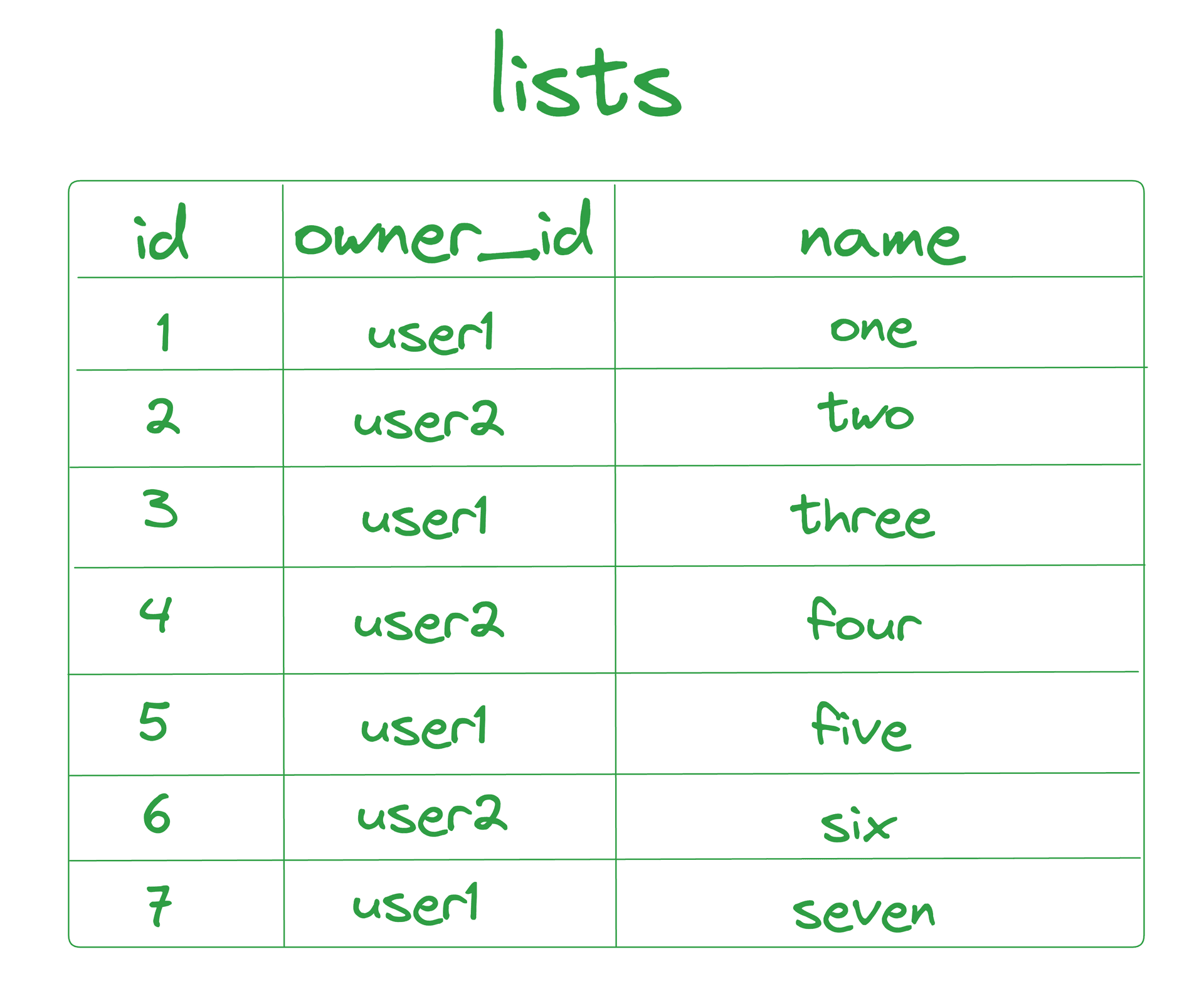
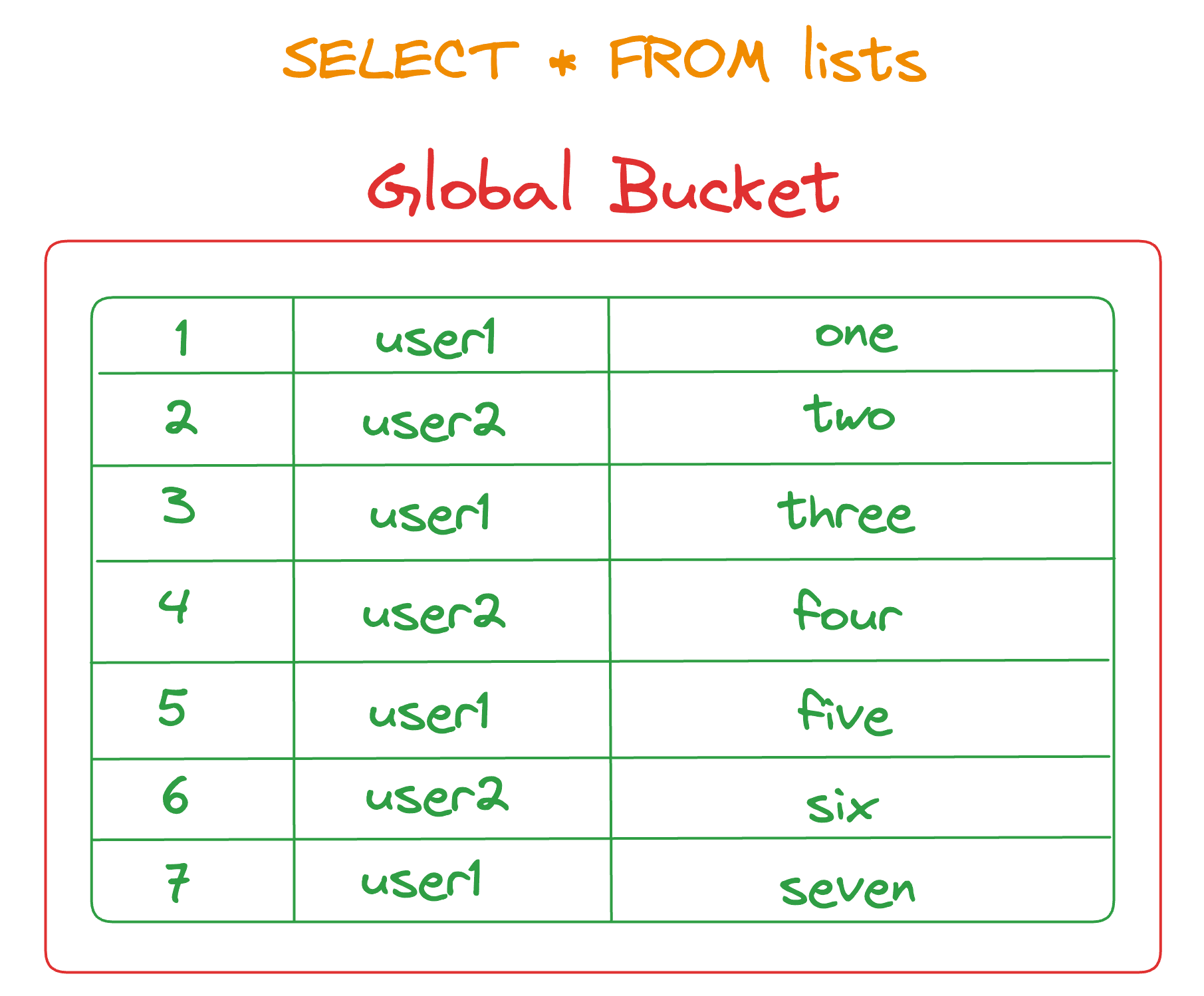
- Data Setup : Assume there is a
liststable with three columns:id,owner_id, andname, containing seven rows. - User Ownership :
user1owns all lists with odd IDs, whileuser2owns all lists with even IDs.
Types of Queries
You can use two types of queries in your Sync Rules when defining Buckets:
- Data queries — define the content of a bucket
- Parameter queries — define which buckets to sync
These queries are written with a SQL-like syntax (regardless of whether a SQL or NoSQL backend database is used with PowerSync). Note that not all SQL operators and functions are supported in PowerSync’s SQL-like query syntax — refer to limitations here.
Data Queries
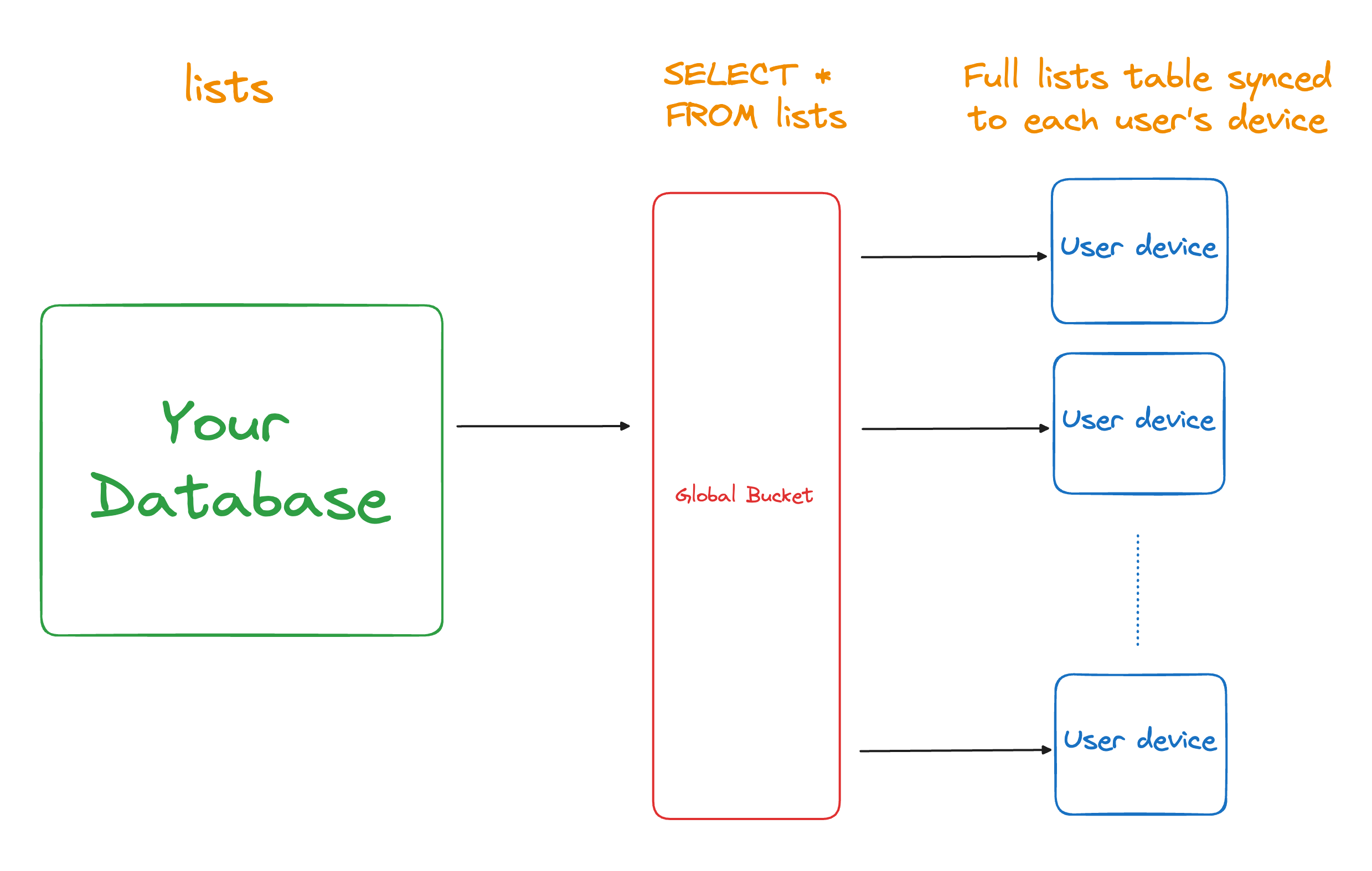
Data queries specify what data is included in a Bucket. In the below example, the data query is SELECT * FROM lists and is the only query used. This creates a Bucket of the lists that will sync to every single user. We refer to buckets that sync to all users as “global buckets”. In this example, all 7 rows are added to the global bucket and will be synced to all users.
In the Sync Rules YAML file**:**
# sync-rules.yaml
bucket_definitions:
  lists:
    data:
      - SELECT * FROM lists
Parameter Queries
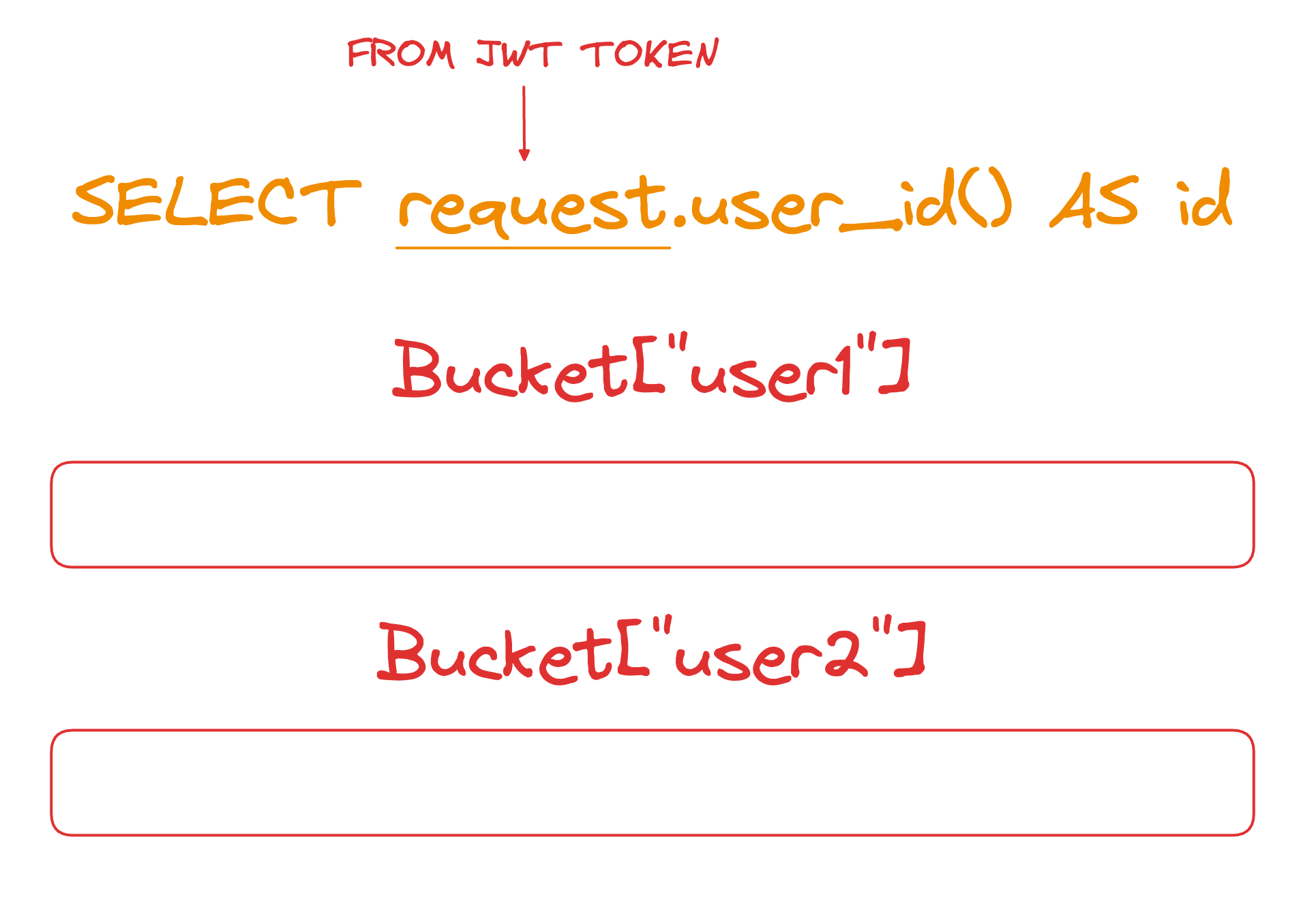
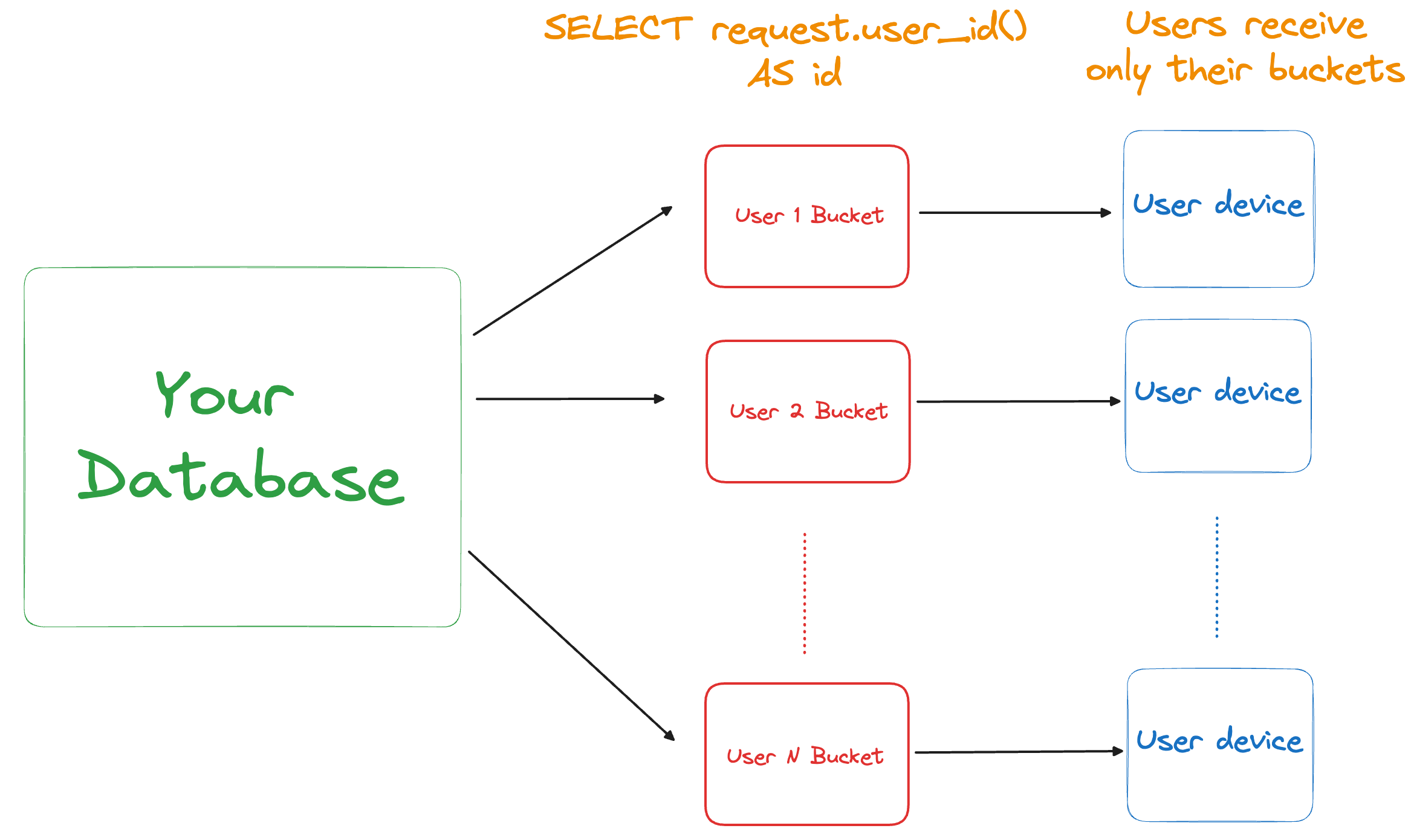
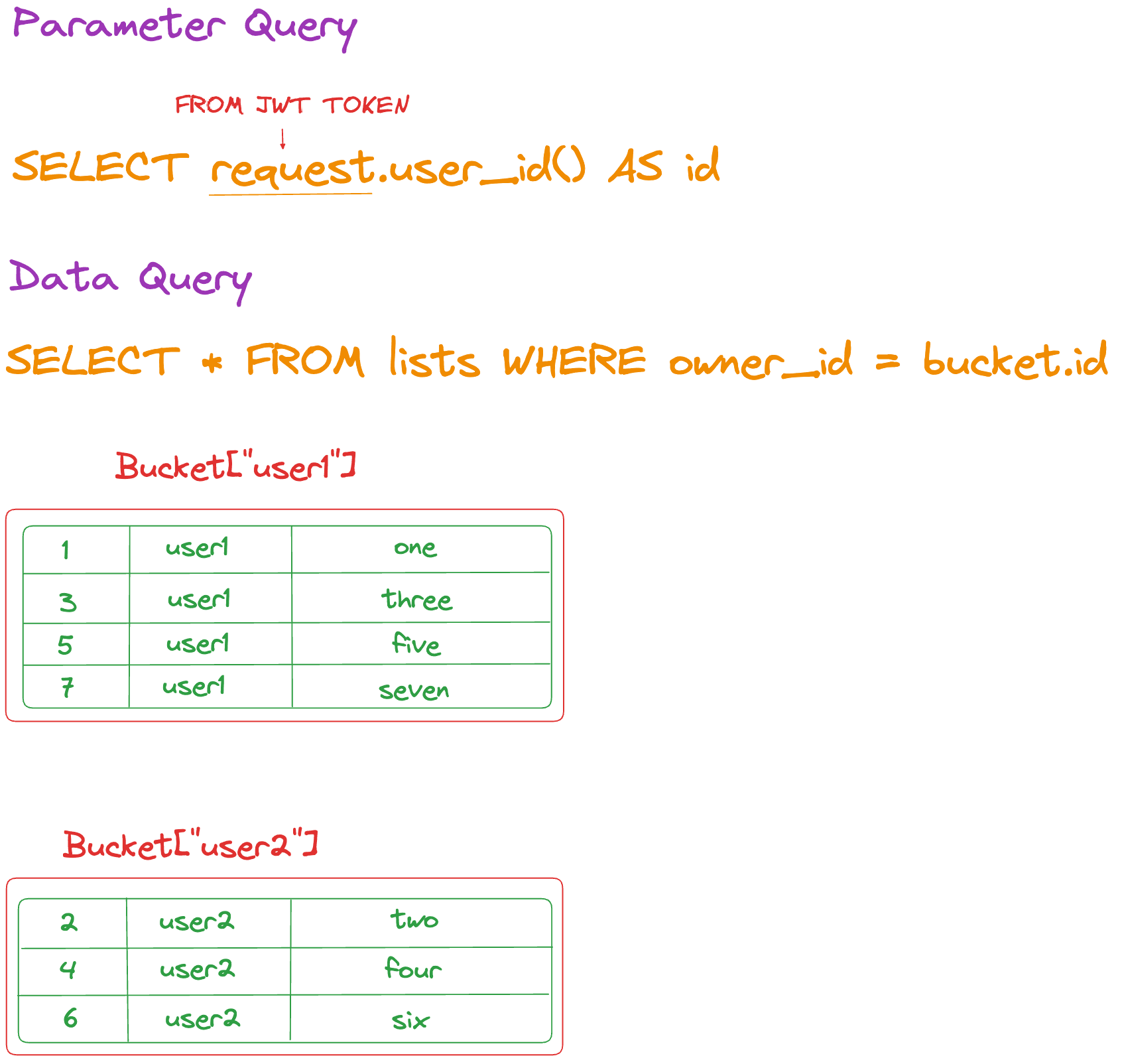
Parameter queries determine which Buckets should be synced to the user’s device. In the below example, the parameter query is SELECT request.user_id() AS id. The request variable provides access to the contents of the JWT token sent when making a request to the PowerSync Service. It contains a user_id(the "subject" from the JWT token) which is used to determine which buckets are synced to which device.
Consider our example lists table with the 7 rows belonging to user1 and user2. Given this parameter query and the sample data, 2 buckets would end up existing — one for user1 and user2.
This is what our Sync Rules YAML file would look like after defining the parameter query in our example**.** We name our bucket user_lists:
# sync-rules.yaml

bucket_definitions:
  user_lists:
    parameters: SELECT request.user_id() AS id
Adding the Data Query
Now let's add the data query that defines what data is contained within the user_lists buckets:
- Parameter query :
SELECT request.user_id() AS id - Data query :
SELECT * FROM lists WHERE owner_id = bucket.id
As explained above, these Sync Rules will result in 2 Buckets being created given the sample data: one for user1 containing only their lists, and another for user2 with only their lists. Each user will only see a single Bucket synced to their device.
Note that the parameter id is used in the data query as bucket.id. Every bucket parameter must be used in every data query. This is a requirement inherent to the architecture of the Bucket system related to high performance.
This is what our resulting Sync Rules YAML file now looks like**:**
# sync-rules.yaml

bucket_definitions:
  user_lists:
    parameters: SELECT request.user_id() AS id
    data:
      - SELECT * FROM lists WHERE owner_id = bucket.id
Join Tables
Two new tables, todos and user_lists, are introduced to explain how join operations work in PowerSync.
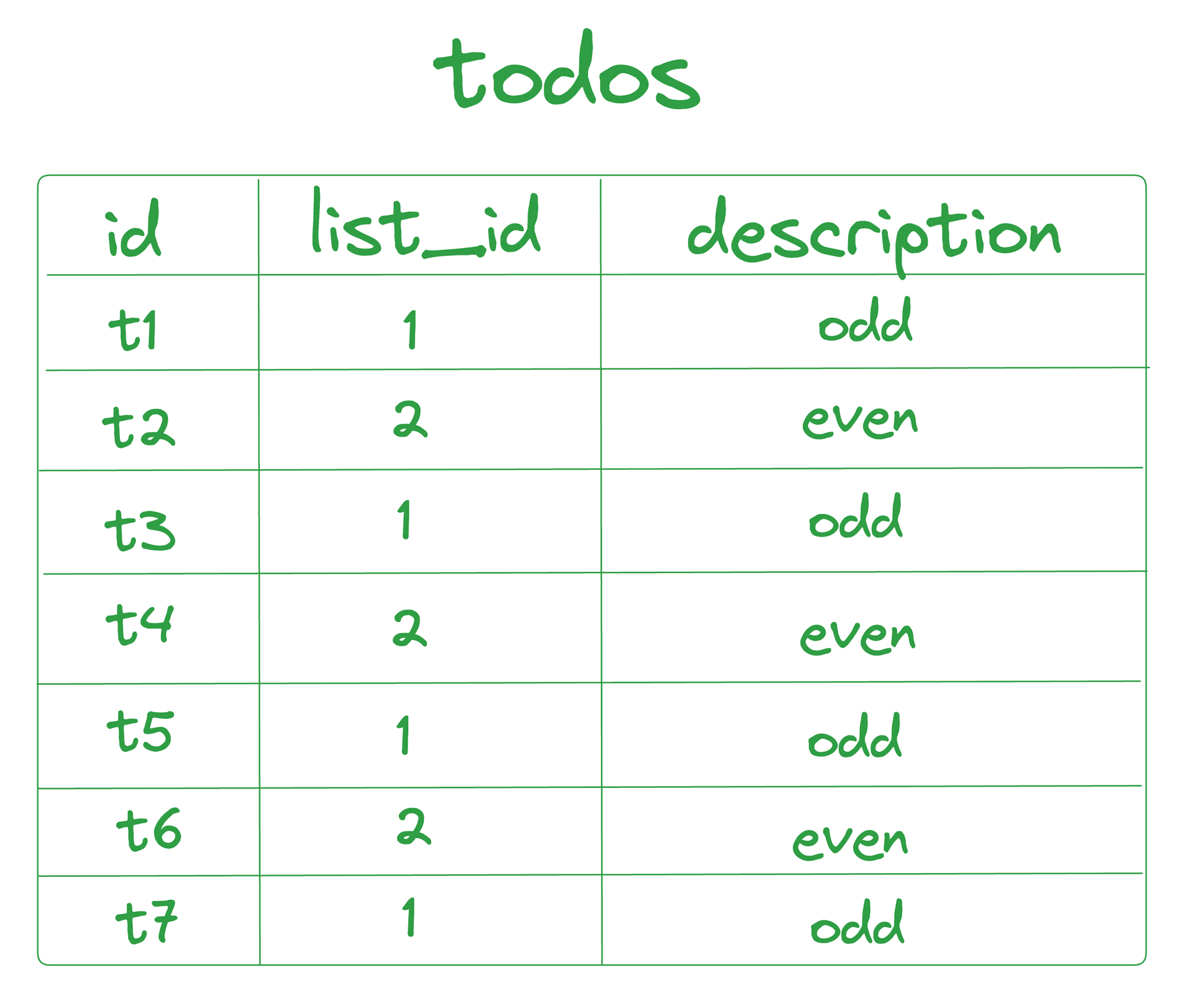
Todos:
- Data Setup : Assume there is a
todostable with three columns:id,list_id, anddescription, containing seven rows. - Ownership :
listwith ID1owns all todos with odd IDs, whilelistwith ID2owns all todos with even IDs.
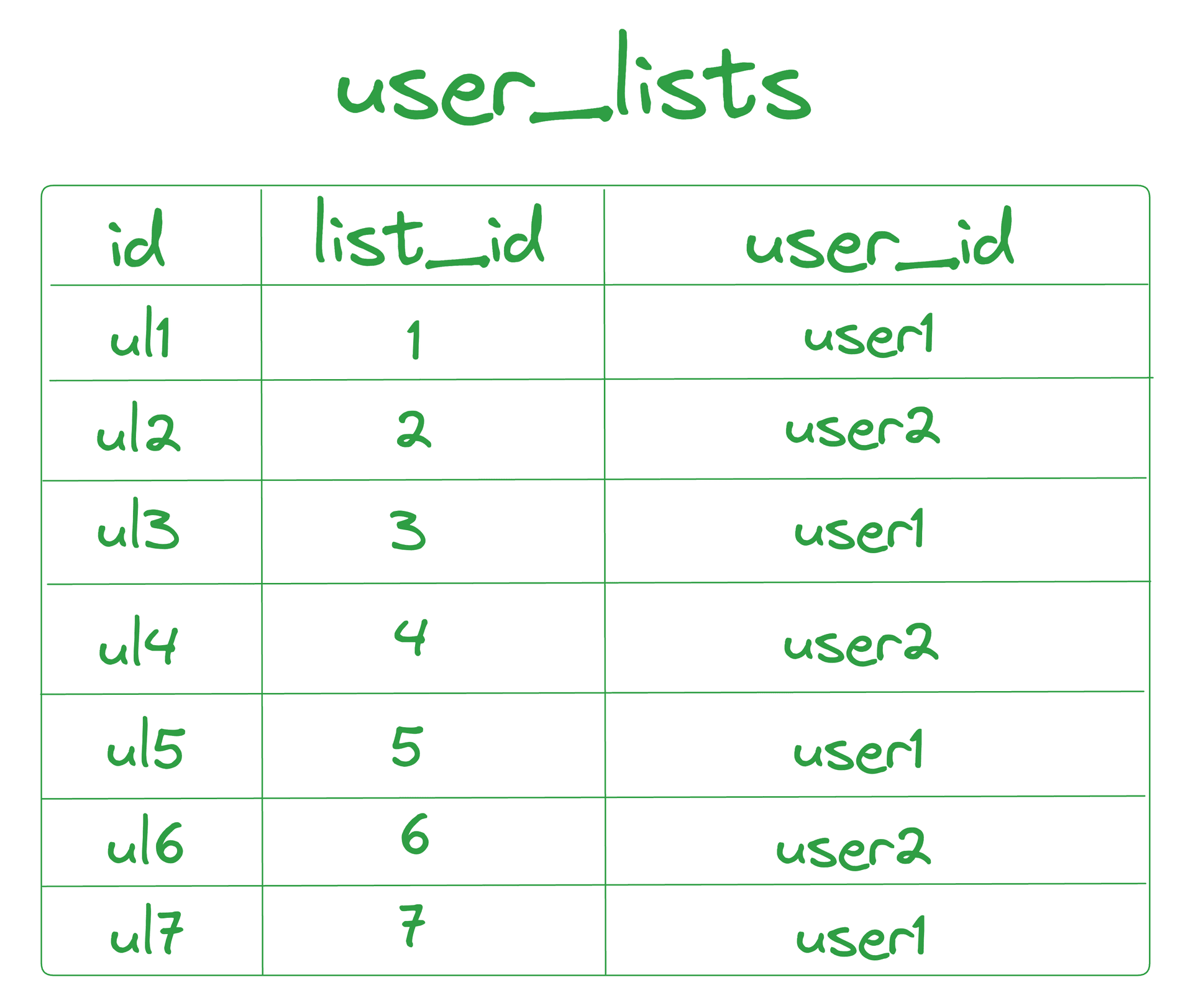
User Lists:
- Data Setup : Assume there is a
user_liststable with three columns:id,list_id, anduser_id, containing seven rows. - Ownership : Each
list_idis matched to theuser_idthat owns the list.
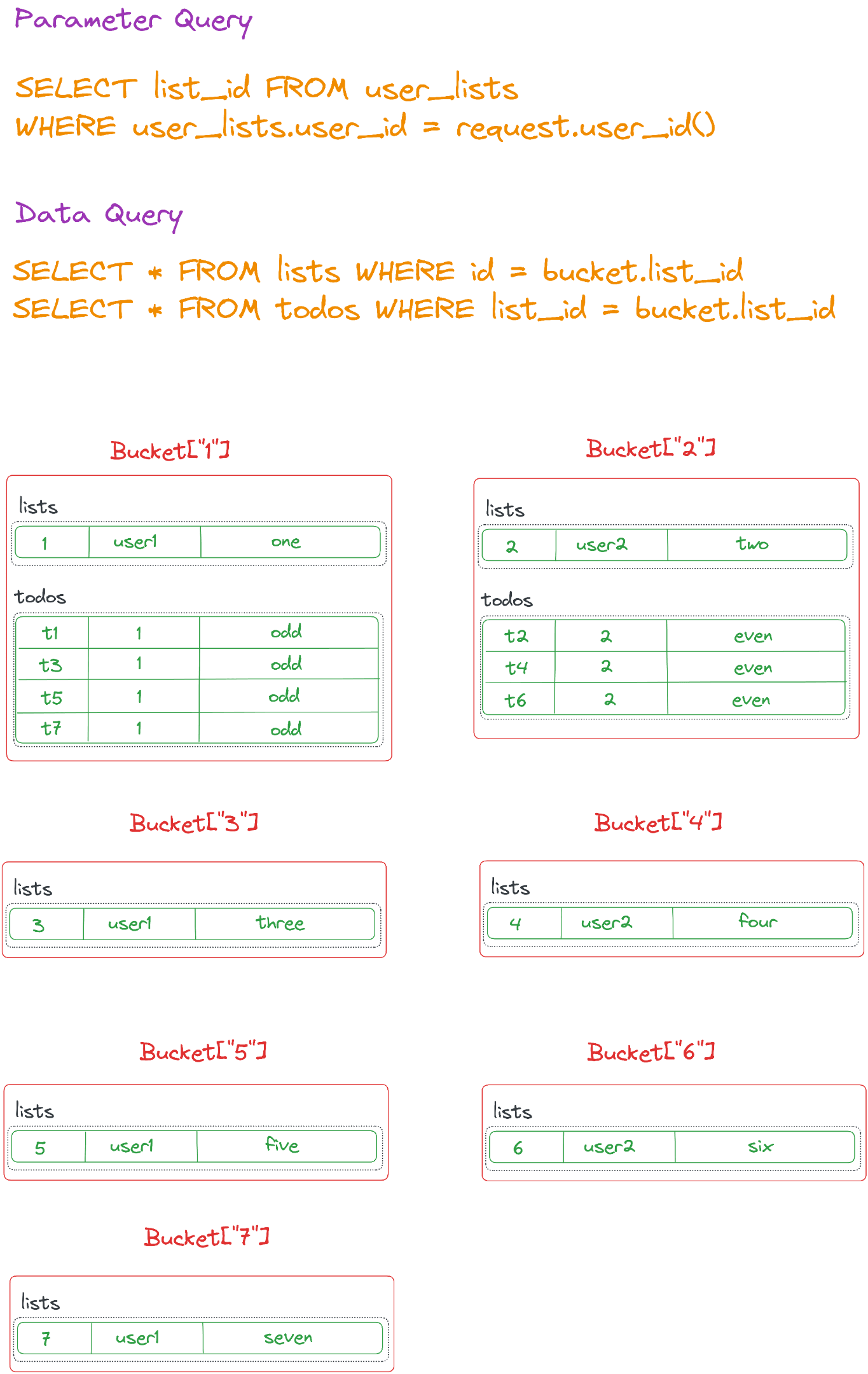
- Parameter query :
SELECT list_id FROM user_lists WHERE user_lists.user_id = request.user_id() - Data query :
SELECT * FROM lists WHERE id = bucket.list_idSELECT * FROM todos WHERE list_id = bucket.list_id
These Sync Rules generate a Bucket for each list. The bucket for list_id=1 will include the list row and its four odd-numbered todos rows, while the bucket for list_id=2 will include the list row and its three even-numbered todos rows. Buckets for the lists with IDs 3-7 will contain only the list row.
Further Reading
More detailed information can be found in the Sync Rules section of our documentation.
Note that there are additional possibilities around parameter queries regarding:
For details on handling more complex scenarios, see here:
- Many to many relations and join tables
- Passing parameters directly from the client (instead of via the JWT)